Sideload Tracker
A downloadable tool
Know when your sideloaded games and tools actually get updated — GitHub and itch.io, all in one list.
As your collection grows, it becomes harder to remember which projects have received updates. Instead of manually checking project pages one by one, Sideload Tracker scans your games/apps list and lets you know when newer versions are available.
Why Use Sideload Tracker?
The Playdate community releases amazing new games and frequent updates, but keeping track of them all can be difficult. In addition to Playdate you may also have Github and Itch games/apps for other devices (ebook readers, gaming devices, etc) - this app allows you to add them all and keep track of them from ONE place.
What it does
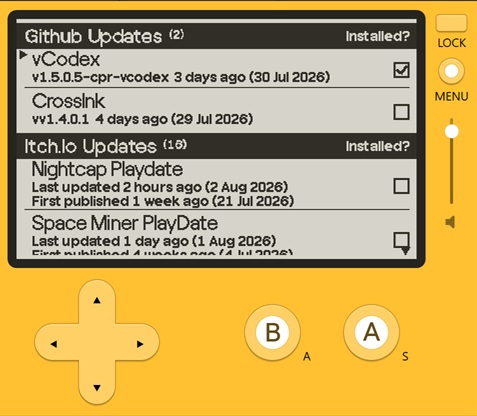
- GitHub repos — add any repo you're sideloading from, and get its latest release version and date, or a fallback to the last commit date if the repo doesn't use formal releases.
- itch.io games — sign in with a personal API key (not your password) and sync your entire owned library and collections in one go. Each game shows its real "Last updated" date as well as original publish date.
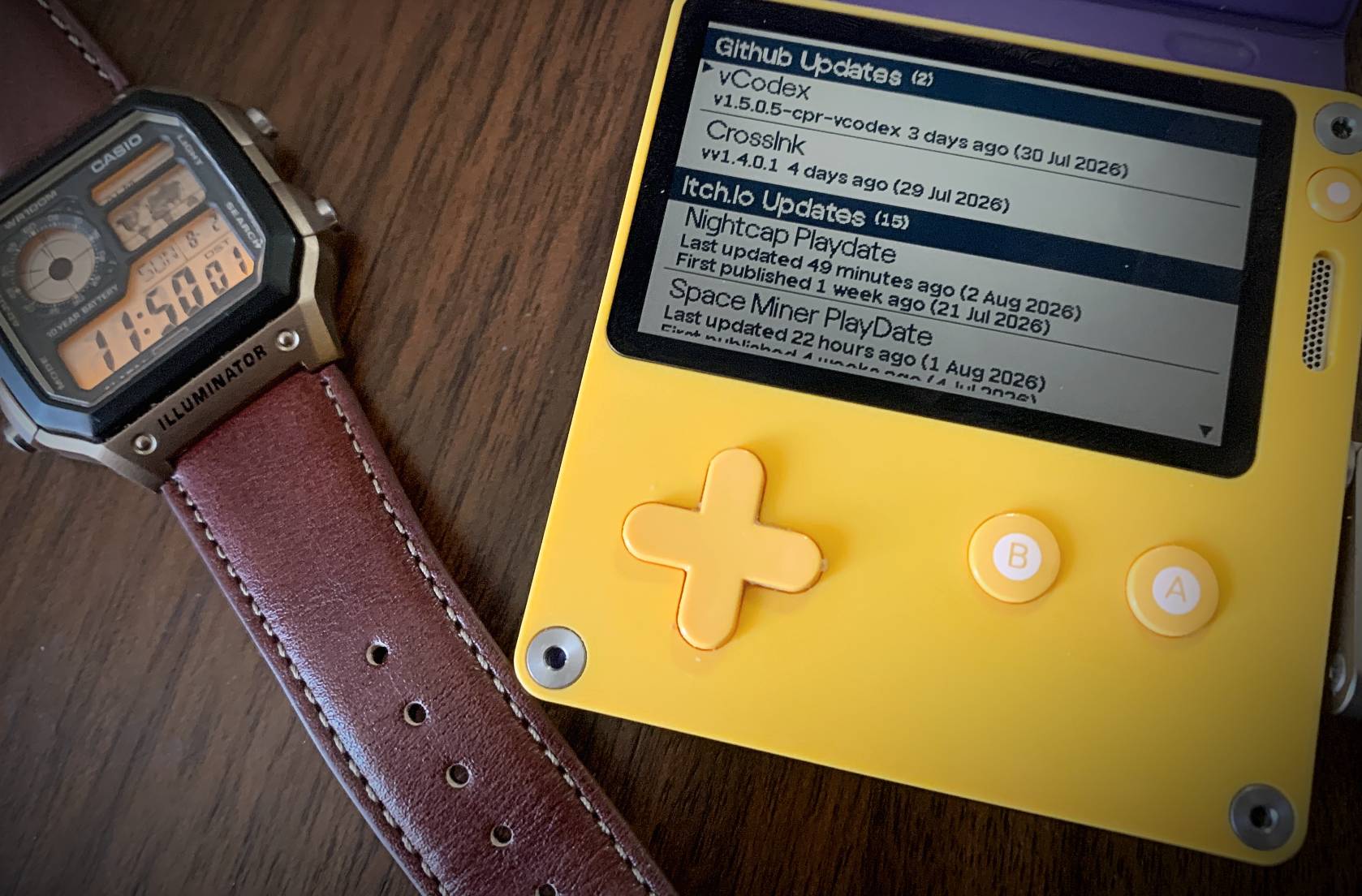
- One combined list — GitHub and itch.io entries live side by side, automatically sorted with your most recently updated items at the top.
- Simple way of reminding yourself if you have updated or not - added a checkbox per entry in the list. If you have already update to the latest update shown you can check the box for that app. Future refreshes will remember the checkbox setting and only clear it when there is a new update date
- Ability to keep a 'custom itch.io' list - you may only want to track a subset of all the apps you have in your itch.io library. You can delete the apps from the list that you're not interested in and refreshes will only check those apps - in addition to that, when you do a re-sync with itch.io it will ask you if you want to add entries from itch that you've previously deleted
Setup
For GitHub:
- Open the Menu → add github
- Enter a display name, the repo owner, and the repo name
For itch.io:
- Generate a personal API key at
itch.io/user/settings/api-keys(this is separate from your account password, and can be revoked any time) - Open the Menu → set api key
- Enter it using the on-screen key grid, or drop a text file named
apikey.txtinto the game's Data folder over USB, and skip typing entirely - Open the Menu → sync itch.io — this pulls in your whole owned library and every collection automatically (the app also syncs automatically every time it opens)
Controls
| D-Pad | Directional control |
| Crank | Scroll through list of tracked apps |
| A | Trigger check for only the selected entry |
| B | Long press: Delete selected entry (will ask for confirmation) |
| A + B | Triggers refresh of all entries in the list |
| Dpad-Right | Toggles the 'installed' check-box on or off on the selected entry |
| Menu | Access to: - Add GitHub entry - Set the Itch.Io API key (done once) - Sync Itch.Io |
Frequently Asked Questions
Does Sideload Tracker install updates automatically?
No. Sideload Tracker lets you know when updates are available, but you remain in control of downloading and installing them.
Is 'Syncing' the same as 'refreshing' in the app?
No.
Syncing means that the app is reaching out to itch.io and importing the games/apps that you own and/or have in your collection folders there and adds them to SideLoad Tracker.
Refreshing means the app is retrieving the latest update information for the games/apps that you have in the SideLoad Tracker app.
Why do I have an update date for tomorrow's date?
Currently the app uses the Itch provided dates/times which are in UTC. In the future this may be changed so dates are translated to local time zone
Does it modify my installed games?
No. Your games and apps are never modified. Sideload Tracker only checks for available updates.
Does it require an internet connection?
Yes. An internet connection is required when checking for updates.
What if I add more games in itch.io?
The app will auto-sync with your itch.io account every time it opens up - you can also select 'sync itch.io' in the menu to perform the same sync
Planned Features
Sideload Tracker is actively being developed. Planned improvements include:
- Improved library management (ability to 'tag' apps by device it's on)
- Filtering and sorting (ability to re-sort and filter on 'device', game vs apps, etc
- Additional update details
- Performance improvements
- Community-requested features
Feedback
Found a bug or have an idea?
Feedback, bug reports, and feature requests are always welcome and help shape future releases of Sideload Tracker - leave a message in the comment section!
Changelog
Version 1.5
- Added version number on start-up page
- Added two new sections for Itch.Io entries to keep "Not updated since Published" and "Not Published" separate
- More message cleaning/rewording
Version 1.4
- More message cleaning
Version 1.3
- Cleaned up the wording in an error message
Version 1.2
- Minor performance improvements
- Cleaned up some text/wordings
Version 1.1
- Installed apps checkbox-tracking,
- ability to keep custom icth.io list and not have re-sync auto-add everything
- avoid auto-lock during refresh (keep the app active),
- various bug fixes
Version 1.0
- Initial release
- Added start-up animation
- Minor UI/UX tweaks
Download
Development log
- Version 1.51 day ago
- 1.45 days ago
- 1.36 days ago
- 1.26 days ago
- 1.16 days ago

Leave a comment
Log in with itch.io to leave a comment.